


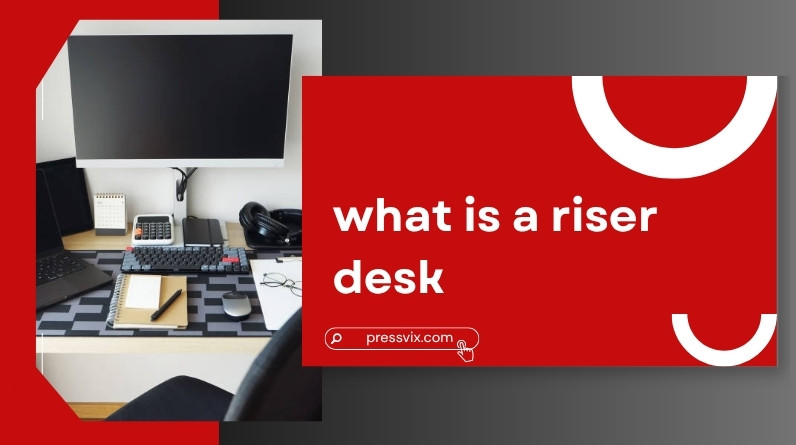
You don’t need a new desk to fix back pain, low energy, or the fatigue that comes with sitting for hours—but most people don’t realize that.
That’s why so many end up searching: what is a riser desk? It sounds simple, but there’s more to it than just “a thing that raises your laptop.” The real value comes from how it changes the way you work throughout the day.
This guide breaks it down clearly—what it is, how it works in real life, and whether it actually makes a difference for you.
- A riser desk is an adjustable platform placed on top of your existing desk
- It lets you switch between sitting and standing without replacing furniture
- Available in manual, gas spring, and electric types
- Helps reduce long periods of sitting—but isn’t a complete solution on its own
- Best for beginners, small spaces, and budget setups
- Not ideal for heavy or complex workstations
- Proper setup determines whether it helps or causes discomfort
What Is a Riser Desk?
A riser desk is a height-adjustable platform that sits on top of your regular desk and raises your work area to standing height.
A simple way to picture it
Think of it as a “desk on top of your desk.” Instead of replacing your entire setup, you’re adding a movable layer that goes up when you want to stand and comes back down when you want to sit. No new furniture, no major disruption.
Other names you might see
- Desk riser
- Standing desk converter
- Sit-stand converter
All of these refer to the same basic product category.
How a Riser Desk Works (In Real Life)
What actually moves
The riser lifts only part of your workspace—usually your monitor, keyboard, and mouse. Getting familiar with your monitor’s size and weight requirements before buying can help you choose a model that actually fits your setup.
What stays fixed
The rest of your desk—documents, accessories, your coffee mug—stays at its original height. This is an important limitation many people don’t expect, and it can feel restrictive if you’re used to spreading out.
What your day looks like using one
In practice, you might sit for an hour, raise the platform to stand for 20–30 minutes, then lower it again. It’s not about standing all day—it’s about breaking up long stretches of stillness. Most people find they naturally develop a rhythm within the first week or two.
This position-switching is what reduces long periods of inactivity, which is where most of the benefit comes from.
Types of Riser Desks (And How to Choose)
By adjustment mechanism
- Manual: Basic and affordable, but requires physical effort to adjust—and can interrupt your flow if you’re switching positions frequently
- Gas spring (pneumatic): Smooth, quick, and the most popular choice for everyday use
- Electric: Button-controlled and the easiest to use, though it comes at a higher price point
By design
- Single-tier: One flat surface—simpler but less ergonomic, since your keyboard and monitor share the same height
- Dual-tier: Separate levels for monitor and keyboard; this is what most ergonomists recommend for proper posture
- Compact: Smaller footprint, good for tight or shared spaces
- Full-width: Supports multiple monitors and larger desktop setups
The best choice depends less on features and more on how you actually work. Dual-tier models are the smarter pick if you type a lot, while compact ones work well for minimal laptop-based setups.
Why People Use a Riser Desk
Breaking long sitting habits
The main benefit isn’t standing—it’s movement. Most people sit far more than they realize throughout the day, and changing positions regularly helps reduce stiffness and keeps your body more active. It’s a small shift that adds up over time.
Posture improvements
When set up correctly, your screen sits at eye level and your shoulders relax naturally. This reduces the tendency to hunch forward—something that tends to get worse the longer you sit in a fixed position.
Energy and focus
Many people report feeling more alert when standing, especially during long afternoon work sessions. It’s not magic—it’s better circulation and a slight increase in physical engagement.
Cost and flexibility
You keep your existing desk. That makes a riser desk one of the easiest ergonomic upgrades you can make without redesigning your entire workspace or spending a lot upfront.
The Limitations Most People Don’t Expect
Limited workspace
Only part of your desk becomes adjustable. If you spread out documents or work with physical materials alongside your computer, it can start to feel cramped.
Stability concerns
Some models wobble at full height—especially with heavier monitors or ultrawide screens. If stability matters to you, prioritize models with a wide, weighted base or check the weight capacity before buying.
Not ideal for complex setups
If you use multiple screens, monitor mounts, or heavy equipment, a riser desk may struggle to handle it reliably.
Standing too long can backfire
Standing all day has its own downsides—fatigue, lower back tension, and discomfort. Balance matters more than duration.
Workflow interruptions
Raising and lowering the desk takes a moment, and with manual models in particular, that small friction can be enough to make people stop switching altogether.
Riser Desk vs Standing Desk
| Feature | Riser Desk | Standing Desk |
|---|---|---|
| Setup | Sits on existing desk | Replaces entire desk |
| Workspace | Partial | Full surface |
| Cost | Lower | Higher |
| Flexibility | Limited | Complete |
| Best for | Beginners, small setups | Long-term workstations |
If you want to try a sit-stand routine without committing to new furniture, a riser desk is a sensible starting point. If you spend long hours at a desk and need full surface flexibility, a standing desk tends to be the better long-term investment.
Who Should (and Should NOT) Use a Riser Desk
Good fit for:
- Remote workers and students—especially those on frequent video calls, where having the camera closer to eye level makes a visible difference
- People with limited desk space or shared work areas
- Anyone testing a sit-stand routine before committing to a full standing desk
Not ideal for:
- People working 6–8+ hours daily who need their full desk surface
- Multi-monitor or high-load equipment setups
- Users who need seamless, zero-friction transitions throughout the day
The core question is straightforward: are you looking for a low-commitment upgrade, or building a long-term workstation from scratch?
How to Set Up a Riser Desk Properly
Monitor position
The top of your screen should sit at or slightly below eye level. Too low and you’ll hunch; too high and your neck tilts back—both cause strain over time.
Keyboard height
Your elbows should stay around a 90-degree angle, with wrists in a neutral, flat position. If your wrists angle up or down while typing, the riser height needs adjusting.
Standing posture
- Feet flat and roughly shoulder-width apart
- Weight evenly distributed—avoid shifting it all to one side
- Avoid locking your knees
Work rhythm
Aim to switch between sitting and standing every 30–60 minutes rather than staying in one position for hours. A simple phone reminder can help until it becomes habitual. If you’re also building a home-based work setup from scratch, pairing a riser desk with a good chair is often the most cost-effective starting point.
Common Mistakes to Avoid
- Standing too long without breaks—especially in the first few weeks
- Setting the monitor too low, which encourages leaning forward
- Choosing a riser that’s too small or too large for your desk surface
- Ignoring ergonomics entirely and just using it however feels convenient
Most of the discomfort people experience with riser desks comes down to setup errors—not the desk itself.
Are Riser Desks Worth It?
It depends on what you’re expecting from one.
If you want a simple, affordable way to move more during the day—without replacing your desk or rearranging your space—a riser desk is absolutely worth it.
But if you’re building a full-time workstation and need flexibility across the entire desk surface, it can start to feel limiting within a few months.
Think of it as a practical starting point, not always the final answer.
Frequently Asked Questions
Are riser desks good for your back?
They can help reduce strain if used correctly—but poor setup or standing too long can create new issues. Proper ergonomics matter more than the product itself.
Can you use a riser desk all day?
You can, but it’s much better to alternate between sitting and standing rather than staying locked in one position throughout the day.
How high should a riser desk be?
High enough that your screen reaches eye level and your arms can type comfortably at roughly a 90-degree angle. This varies by height, so check a riser’s height range against your own measurements before buying.
Do riser desks really improve posture?
They can—but only when the setup is correct. The desk creates the opportunity; your positioning does the work.
Final Thoughts
So, what is a riser desk?
It’s a straightforward tool that helps you move more during your workday without replacing your entire setup. The real value isn’t in standing—it’s in breaking the habit of staying still for hours at a stretch.
Used properly, it makes your workspace more flexible and more comfortable. Used carelessly, it can introduce new aches in place of old ones.
The difference comes down to how you set it up—and whether you actually use it consistently.