


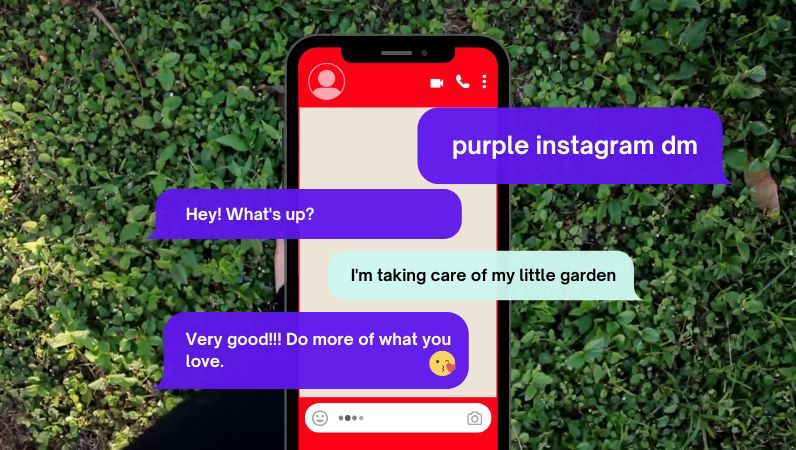
Your Instagram messages suddenly turned purple—and now you’re wondering if it means something important.
Did someone change something? Is it a secret feature? Or worse… does it mean something about your account?
Here’s the truth: most of what people believe about purple Instagram DMs is either incomplete or flat-out wrong. This guide clears up the confusion and shows exactly what’s happening—and how to control it.
- Purple Instagram DMs usually mean a chat theme or gradient is applied
- It does NOT indicate blocking, liking, or special status
- It often appears after app updates or Messenger integration changes
- You can change or remove it anytime
- Both people in the chat see the same theme
What Does a Purple Instagram DM Mean?
The Real Meaning (Simple and Clear)
A purple Instagram DM means the chat is using a theme or gradient color—nothing more.
Instagram introduced customizable chat themes, and purple is part of the default modern style. It’s also deeply tied to Instagram’s own brand identity; the purple-violet gradient you see in DMs is drawn directly from the same palette as the Instagram logo itself. If you see purple messages, it simply means that chat is styled differently.
This is a visual feature, not a signal or hidden status.
Truth vs Common Myths
| Claim | Reality |
|---|---|
| Purple DM means someone likes you | No |
| Purple DM means you’re blocked | No |
| Purple DM means encryption | Not necessarily |
| Purple DM means theme applied | Yes |
The confusion exists because Instagram mixes design changes with feature updates—but the color itself is purely visual.
Why Are Your Instagram Messages Purple?
There isn’t just one reason—but there is a most common one. Here’s what actually causes it, ranked by likelihood:
1. Default Instagram Update (Most Common)
Instagram updated its messaging system and introduced a purple-blue gradient as part of the new look. When the app updates, existing chats can automatically shift to this default style—even if you never touched the settings.
2. Instagram–Messenger Integration
When Instagram merged its messaging system with Facebook Messenger, the interface adopted Messenger’s purple-blue gradient as the standard look. If your account went through this integration, your DMs switched to purple as part of that process—not because of anything you did wrong.
3. Someone Changed the Chat Theme
Either you—or the other person—selected a theme. When a theme is changed, it applies to both users instantly, and Instagram sends a small notification inside the chat to let both sides know.
4. You Selected a Custom Color
You can manually choose purple as your chat color inside settings. This is common for users who enjoy customizing their conversations to reflect their personality.
5. Temporary Visual Effects
Some messages trigger animations or color effects—like seasonal or keyword-based effects. These can briefly make messages appear purple without any permanent change to the chat theme.
6. App Glitch or UI Issue (Rare)
If colors look inconsistent or stuck, it may be a temporary bug. Restarting the app or clearing the cache usually resolves it.
Types of Purple Instagram Messages (Most People Miss This)
Not all purple messages are the same—and this is where most confusion starts.
Purple Gradient (Default Style)
A flowing mix of blue and purple. This is the most common version after updates and the one most users see without having changed anything. It also applies specifically to outgoing messages—messages you send appear in purple gradient, while incoming messages from the other person appear in gray or white.
Solid Purple Bubble
A single-color purple bubble selected manually through chat settings. This is a deliberate choice, not an automatic one.
Animated or Effect-Based Messages
Some messages trigger effects that change how they look temporarily. These disappear on their own and aren’t tied to your theme settings.
Understanding these differences helps you avoid misinterpreting what you’re seeing.
Purple vs Blue Instagram Messages: What Changed?
Old Version (Blue Messages)
Instagram originally used a simple blue color for messages—clean, flat, and consistent with early app design trends.
New Version (Purple Gradient)
After updates and Messenger integration, the interface shifted to a purple-blue gradient style that feels more dynamic and visually modern.
Why This Happened
Instagram aligned its messaging system with Meta’s broader ecosystem, making chats more visually unified across platforms. This wasn’t a “feature unlock”—just a design evolution that affected everyone at once.
Does Purple DM Mean Encryption or Privacy?
This is one of the biggest misconceptions—and worth clearing up carefully.
What Encryption Actually Means
Encryption protects messages so only the sender and receiver can read them. It’s a security layer that operates independently of how your chat looks.
Why Purple ≠ Encryption
The purple color does not automatically mean your chat is encrypted. Encryption is a separate feature that Instagram labels clearly when active—it’s not indicated by color alone.
How to Think About It
Color = Design. Encryption = Security setting. Mixing the two is understandable, but they are completely independent systems. If you want end-to-end encryption, you need to enable it explicitly—changing a chat theme won’t do it.
How to Change or Remove Purple Instagram DMs
Change Chat Theme
- Open the chat
- Tap the name at the top
- Select “Theme”
- Choose a different theme
Switch Back to Default
Select the default theme to remove the purple style. The change takes effect immediately for both users in the conversation.
Change Only Message Color
You can also pick a specific bubble color without changing the full theme. This gives you more granular control over how your messages look without overhauling the entire chat appearance.
Why Did Your Instagram DM Suddenly Turn Purple?
If It Changed Overnight
Most likely due to an app update or a background Messenger sync. No action on your part is needed—it’s a system-level change.
If Only One Chat Is Purple
Someone changed the theme in that specific conversation. Instagram notifies both users when this happens, so check the chat history for that notification.
If All Chats Turned Purple
This usually means a system-wide update or default theme change applied across the app. Thinking in scenarios like this helps you quickly identify the cause without unnecessary worry.
Can You Fully Control Instagram DM Colors?
What You Can Control
- Chat themes
- Message bubble colors
- Individual chat appearance
What You Can’t Control
- Global UI updates pushed by Instagram
- Theme changes applied by the other person
Shared Control Explained
Both people in a chat can change the theme—and it affects both sides. This is why colors may change even if you didn’t touch anything. Think of it as a shared canvas: either person can repaint it at any time.
Common Myths About Purple Instagram DM
- Purple means someone likes you → False
- Purple means you’re blocked → False
- Purple means secret conversation → False
- Purple is only for some users → False
These myths spread because users naturally try to assign meaning to visual changes. But Instagram’s color system doesn’t work that way—design choices are just that: design choices.
Common Problems & Fixes
Color Not Changing
Restart the app or try selecting a different theme. If the issue persists, logging out and back in can help reset visual settings.
Theme Not Showing
Update Instagram to the latest version from the App Store or Play Store. Some features roll out gradually, so your app may simply not have received them yet.
Messages Look Glitched
Clear the app cache on Android or reinstall the app. If your phone itself is running slow, it can sometimes cause visual rendering issues in apps—speeding up your Android phone can help prevent these kinds of display glitches.
Feature Missing
Some features roll out gradually by region and account type. If you don’t see the theme or color options, wait for the next update cycle.
How Creators and Brands Use DM Colors Strategically
Most users treat this as a fun cosmetic feature—but for businesses and creators, it’s a subtle engagement tool worth using intentionally.
Brand Identity
Brands match chat colors with their visual identity, creating a consistent look even inside private conversations. A fashion brand using a purple gradient, for example, reinforces its aesthetic at every touchpoint.
Better Recognition
Unique colors make conversations stand out in crowded inboxes—especially useful when managing multiple customer chats at once.
Campaign Styling
Seasonal themes—like holiday gradients—create a more immersive experience that feels intentional rather than generic. It’s a small detail, but attentive users notice it.
Conclusion
Purple Instagram DMs are not a mystery feature, secret signal, or hidden status—they’re simply a visual customization tied to themes, Messenger integration, and Instagram’s own brand design.
The color appears due to themes, updates, or user choices, and it can be changed anytime. Once you understand the difference between design and functionality, the confusion disappears—and you stay in control of your chat experience.
FAQs
Does purple DM mean someone is active?
No, it has nothing to do with activity status.
Why are my messages purple and blue?
This is the default gradient theme—a purple-to-blue blend that Instagram applies automatically after certain updates or Messenger integration.
Can I use different colors for different chats?
Yes, each conversation can have its own independent theme or color.
Can I change DM color without the other person knowing?
No. Instagram notifies both users when a theme changes, and the new color appears on both sides immediately.
Why don’t I have purple messages yet?
Your app may not be updated, or the feature hasn’t rolled out to your account yet. Check for updates in your device’s app store.
Is purple DM available on all devices?
Yes, but availability depends on your app version and whether Instagram has pushed the update to your region.